





A product package has limited space, but customers often have questions that go beyond its printed label.
QR codes on product packaging give businesses a practical way to answer these questions. A scan can connect someone holding your product to a relevant digital experience, such as a tutorial, product information page, or support form.
The value comes from what happens after the scan. A useful page can make ownership easier; an unrelated promotion or broken link can create frustration. This guide explains the benefits, common use cases, and setup process for packaging QR codes.
What Are QR Codes on Product Packaging?
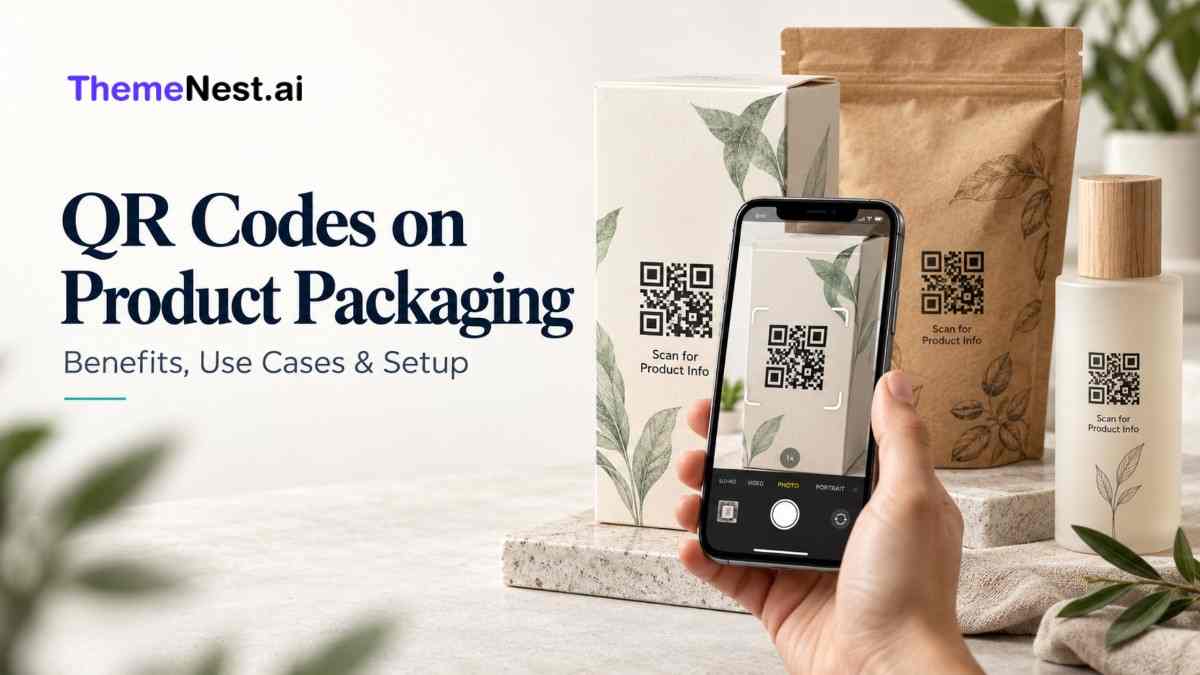
QR codes on product packaging are scannable two-dimensional codes that connect a physical product to digital information or services. Customers typically scan them with a smartphone camera to open a webpage containing instructions, product details, offers, support, or ordering options.
A QR code can also contain text or other data directly. For packaging, a web address is often more useful because the linked content can be maintained online.
Think of the package as the starting point and the destination page as an extension of the product experience. The code should help customers complete a clear task.
How Do Packaging QR Codes Work?
A QR code stores information in a pattern of small squares. A compatible camera or scanner reads that pattern and interprets the encoded information.
When the code contains a URL, the customer can open the linked page. For example, a code on a coffee pouch might lead to brewing instructions for that specific blend.
Scanning does not automatically share someone’s name, email address, or purchase history with your business. Collecting identifiable information requires a separate interaction, such as completing a form, with appropriate privacy notices and permissions.
Static vs Dynamic QR Codes: Which Should You Use?
The difference usually concerns how the destination is managed, rather than a different type of printed QR symbol.
| Feature | Static QR code | Dynamic QR code service |
| Encoded address | Direct destination URL | Managed redirect URL |
| Changing destination | Encoded URL stays fixed | Redirect destination can usually change |
| Updating page content | Possible at the existing URL | Possible at the destination URL |
| Analytics | Can use website analytics | May include redirect and website analytics |
| Ongoing dependency | Destination domain and hosting | Redirect service plus destination hosting |
| Typical fit | Stable instructions or product pages | Campaigns requiring flexible destinations |
A static QR code does not mean the webpage must remain unchanged. You can update content at the same address or manage redirects on a domain you control.
With a dynamic QR code provider, check subscription terms, export options, domain ownership, and what happens if your plan ends. Packaging may remain in circulation longer than a marketing campaign.
Benefits of QR Codes on Product Packaging
1. Provide useful information beyond the label
Packaging cannot comfortably display every tutorial, specification, or customer question. A QR code can direct customers to detailed information without crowding the design.
Keep essential printed information on the package where required; treat digital content as an extension.
2. Make product use easier
Customers may struggle with assembly, maintenance, preparation, or choosing the correct setting. A short demonstration can explain these tasks more clearly than a dense instruction sheet.
Link directly to the relevant model or product variant. Making someone search again after scanning defeats the purpose.
3. Encourage repeat purchases
A packaging QR code can open the exact product page, a refill option, or a reorder flow. This reduces the steps between recognising a need and finding the item.
Show the correct size or variant, current availability, and delivery details. Avoid forcing customers to create an account before they can view basic information.
4. Support more transparent communication
Brands can link to sourcing explanations, certifications, ingredient details, or supporting documents. GS1 describes QR codes using GS1 Digital Link as a way to connect products with online information, including instructions and traceability content.
Transparency depends on the evidence provided. A QR code alone does not prove a sustainability claim or authenticate a product.
5. Learn which content customers use
Website or redirect analytics can help you assess visits from packaging campaigns and actions taken afterward.
These figures need interpretation. Repeated visits, internal testing, and automated traffic can affect totals. Measure useful outcomes, such as completed registrations or reorders, alongside scans.
Practical QR Code Packaging Use Cases
| Business category | Useful destination | Suggested packaging message |
| Food and beverages | Recipes or preparation guidance | Scan for serving ideas |
| Apparel | Fabric care and size guidance | Scan for care instructions |
| Beauty products | Usage guidance and product information | Scan to see how to use |
| Electronics | Setup videos and troubleshooting | Scan for setup help |
| Home products | Assembly and maintenance instructions | Scan for assembly guide |
| Refillable products | Matching refill or reorder page | Scan to find your refill |
Product tutorials and care instructions
A clothing brand can explain washing, drying, and storage recommendations for a particular fabric. An electronics brand can provide a setup video with captions and a written alternative.
Useful content should be accessible without unnecessary registration and easy to read on a phone.
Warranty registration and customer support
A QR code can open a registration form with the product model already selected. Ask only for information needed to complete the task, and explain any supporting-document requirements.
Keep marketing subscriptions separate from support or registration requests. Customers should understand what they are signing up for.
Product verification and batch information
Verification requires more than placing a generic code on every package. A stronger system may use unique serial identifiers, backend records, and controls for duplicate checks.
A copied code can still open a legitimate page. Design the verification process around that limitation and distinguish product-level information from evidence about an individual item.
Feedback and relevant offers
Link to a short feedback form or a clearly explained promotion. State eligibility, expiry dates, and conditions before customers invest time in participating.
Keep the offer relevant to the product. Someone scanning for instructions should be able to find those instructions immediately.
How to Add QR Codes to Product Packaging
Step 1: Choose one primary purpose
Decide what the customer should accomplish: learn how to use the product, register it, contact support, or reorder.
One code can lead to a page with several options, but the primary action should be obvious. Define a measurable outcome before creating the design.
Step 2: Build the destination page first
Create a mobile-friendly page that matches the product and the packaging promise. Include a clear heading, relevant information, and an obvious next action.
Use HTTPS, optimise images, and avoid large downloads unless customers request them. Test on ordinary mobile connections, not just office Wi-Fi.
Step 3: Select a dependable URL strategy
Use a stable address, preferably on a domain your business controls. Short URLs can reduce the amount of encoded data and help keep the symbol manageable.
If you need retail or supply-chain interoperability, evaluate GS1 Digital Link with the appropriate specialists and trading partners. A standard marketing URL does not automatically function as a retail product barcode.
Step 4: Generate a print-ready QR code
Use a generator that provides suitable export quality. A vector format such as SVG can support resizing without pixelation when your printing workflow accepts it.
Keep strong contrast between the code and its background. Decorative shapes, large logos, or altered patterns can reduce scanning reliability, so test any customisation carefully.
Step 5: Preserve space around the symbol
The clear margin around a QR code is called its quiet zone. DENSO WAVE specifies a margin four modules wide on every side; a module is one small square in the code.
Do not fill this margin with borders, illustrations, or text. Size the full design to include the quiet zone rather than treating it as optional padding.
Step 6: Choose placement and an action label
Place the code where customers can find and scan it comfortably. Avoid folds, seams, heavily curved areas, and surfaces where reflections obscure the print.
Add a specific instruction such as “Scan for setup help” instead of simply “Scan me.” Include a readable fallback website address where space allows.
Step 7: Test actual printed packaging
There is no universal minimum QR code size that suits every package. Reliability depends on encoded data, module size, printing quality, material, viewing distance, and camera performance.
Test production samples with several phones, lighting conditions, and angles. Check glossy finishes, curved containers, and realistic handling wear. Confirm that the correct page opens and the intended task works before approving bulk printing.
How to Measure Packaging QR Code Performance
Connect reporting to your original objective.
- Engagement: Visits from packaging links and tutorial interactions.
- Support: Completed support requests and recurring questions.
- Registration: Completed forms compared with landing-page visits.
- Sales: Reorders attributed to the packaging link.
- Reliability: Broken links, redirect failures, and outdated content.
Use distinct URLs or campaign parameters for product lines when useful. Document how each metric is counted and avoid treating scan totals as unique customers.
A simple improvement cycle is to review the data, identify where users stop, and adjust the page or instructions. Test changes against a consistent baseline instead of assuming every increase came from the QR code.
Common Packaging QR Code Mistakes
Sending every scan to the homepage creates unnecessary searching. Match the destination to the product and promised action.
Other avoidable problems include printing before testing, insufficient contrast, expired campaigns, and relying on a third-party redirect without understanding its terms.
Assign an owner to maintain destinations after launch. Old packages still need working links, even after a product redesign or website migration.
Conclusion
QR codes on product packaging work best when they solve a clear customer problem. Helpful instructions, straightforward support, and convenient reordering can make a package useful long after purchase.
Start with one purpose, build a relevant destination, and test the printed code before scaling. As you evaluate tools, explore QRBuilder from ThemeNest.ai and confirm how it fits your workflow. Reliable links and maintained content turn a simple scan into a better product experience.
Frequently Asked Questions
1.Can I change a QR code link after printing?
You cannot change the data already printed in the symbol. However, you can update content at the encoded URL or change a managed redirect’s destination, provided you control the relevant service or address.
2.Do customers need an app to scan packaging QR codes?
Many smartphones can read QR codes through their built-in camera. Support varies by device and settings, so provide a readable web address as an alternative.
3.Can QR codes replace existing product barcodes?
Do not remove a required retail barcode simply because you added a QR code. GS1-based QR codes can support retail use with compatible systems, but implementation must be coordinated with your trading partners.
4.Are QR codes on packaging secure?
Security depends on the destination and management process. Use a controlled HTTPS domain, protect administrative accounts, review redirects, and monitor for tampering or unauthorised changes.
5.Which QR code platform should a business choose?
Compare print exports, destination control, reporting, ongoing costs, and support. ThemeNest.ai lists QRBuilder for products, payments, and promotions; request a demonstration to confirm the features your packaging project needs.