





The restaurant industry is becoming increasingly digital as customers expect faster service, convenient ordering and flexible payment options. Restaurants must therefore find practical ways to modernize their operations without making the dining experience complicated or impersonal.
QR codes offer a simple and affordable solution. A restaurant can use a single scannable code to connect customers with a digital menu, ordering page, secure payment option, promotional offer, loyalty program or feedback form. Customers can access these services directly from their smartphones, usually without downloading a separate application.
QR codes for restaurants are no longer limited to contactless menus. When used strategically, they can simplify everyday operations, support marketing campaigns and create more opportunities for repeat business. A QR code printed on a table can open a menu, while another code on takeaway packaging can encourage a customer to place a direct order in the future.
However, a QR code is only useful when it leads to a fast, secure and mobile-friendly experience. Restaurants must carefully consider what customers need after scanning the code and make the next action as simple as possible. This guide explains how restaurants can effectively use QR codes for menus, payments and promotions while maintaining the personal service customers expect.
What Is a Restaurant QR Code?
A restaurant QR code is a scannable code that connects customers to digital information or an online action. When customers scan the code using their smartphone camera, they are taken to a digital menu, ordering system, payment page, reservation form, promotional offer or another restaurant service.
Restaurants can place these codes on tables, printed menus, table tents, receipts, takeaway packaging, posters, restaurant windows and social media creatives. Their purpose is to reduce the number of steps customers must complete to find information or perform an action.
Instead of manually searching for a restaurant website, entering a long web address or waiting for a staff member, a customer can scan the code and immediately access the relevant service.
How Can Restaurants Use QR Codes?
Restaurants can use QR codes to provide digital menus, accept contactless payments, enable table ordering, promote special offers, collect feedback and manage customer loyalty programs.
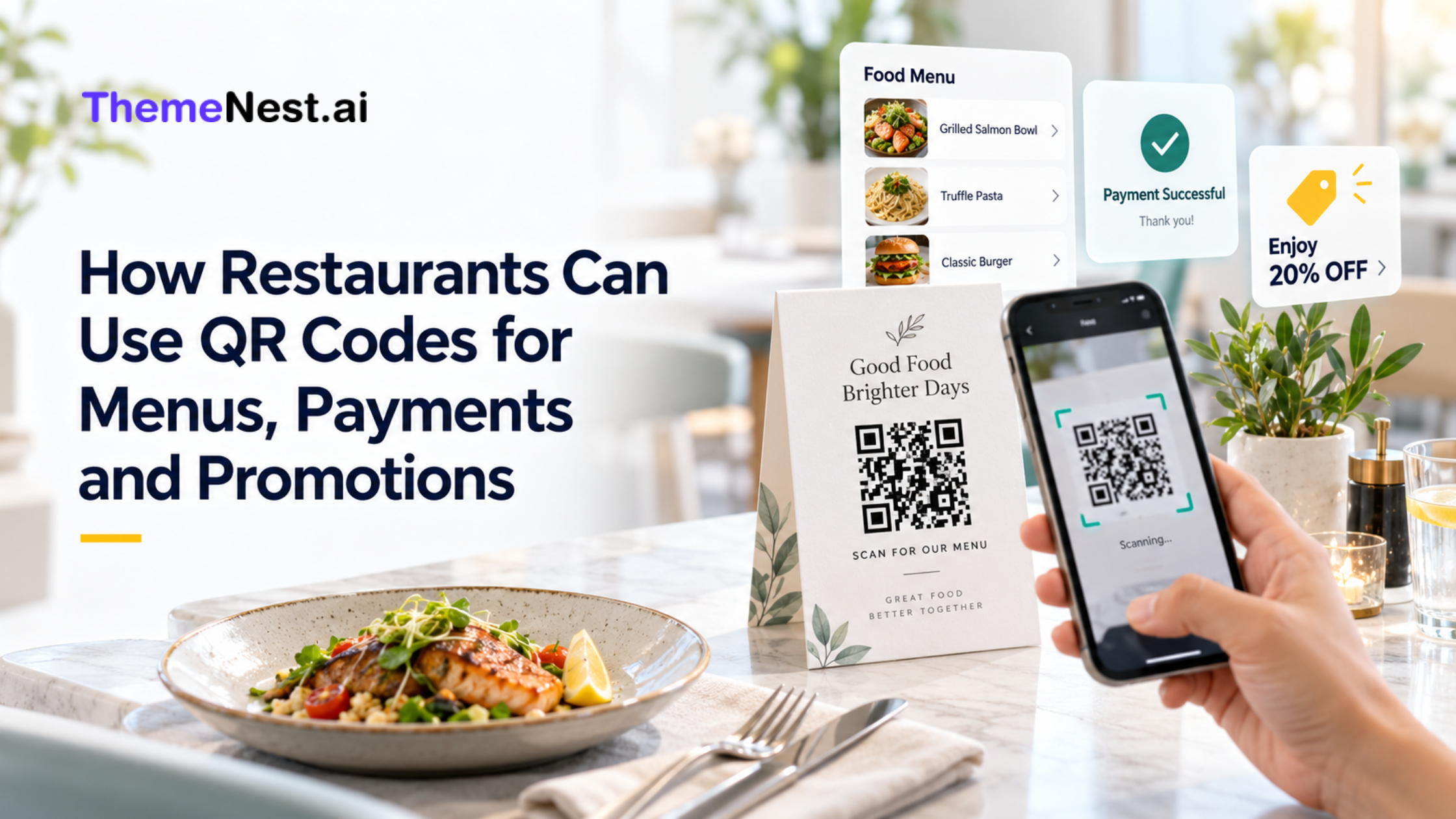
For example, a customer can scan a code to view the latest menu, select dishes and place an order from the table. After finishing the meal, the customer can use another code to complete the payment. The receipt can then include a promotional QR code offering a discount on the next direct order.
This connected experience can help restaurants improve convenience at every stage of the customer journey—from discovering dishes to placing repeat orders.
Create an Interactive Digital Menu
A digital menu is one of the most popular uses of QR codes for restaurants. Instead of waiting for a printed menu, customers can scan a restaurant QR code menu and explore available food and beverage options on their smartphones.
A professional digital menu should display clear food categories, item names, descriptions, prices and high-quality images. It can also provide useful information about ingredients, portion sizes, spice levels and dietary preferences. Vegetarian, vegan and allergy-related information can help customers make more confident decisions.
Unlike a printed menu, a digital menu can be updated whenever prices, dishes or availability change. If a particular item is unavailable, the restaurant can temporarily remove it. When a new seasonal dish is introduced, it can be added without printing an entirely new set of menus.
Restaurants serving international customers can also provide multiple language options. This can reduce communication difficulties and help customers better understand ingredients and preparation methods. The connected menu must be mobile-friendly. Restaurants should avoid uploading a large PDF that requires customers to zoom in and scroll sideways. A responsive digital menu with simple categories and readable text offers a much better experience.
Allow Customers to Order From Their Tables
A restaurant QR code ordering system allows customers to browse the menu, customize dishes and place orders directly from the table.
Each table can have a unique QR code connected to its table number. When a customer scans the code and submits an order, the restaurant can identify where the food needs to be served. This approach can be especially useful for cafés, food courts, pubs, quick-service restaurants and busy casual-dining establishments.
QR ordering can reduce waiting time during peak hours and help prevent errors caused by manually recording orders. Customers can review selected items before submitting their order, while restaurant staff can focus on preparation, service and customer support.
Restaurants can also use the digital ordering page to recommend relevant additions. A customer ordering a burger might see an option to add fries or a beverage. These suggestions should be helpful and relevant rather than excessive. QR ordering should not completely replace restaurant staff. Some customers may prefer speaking with a server or may not have access to a suitable smartphone. Providing both digital and traditional ordering options creates a more inclusive experience.
Make Payments Faster and More Convenient
A QR code payment for restaurants allows customers to access a secure digital payment page or supported payment application. Depending on the restaurant’s payment provider, customers may be able to pay through UPI, mobile wallets, cards or online banking.
The payment code can be displayed near the billing counter or generated specifically for each bill. Customers scan the code, check the restaurant name and payment amount, and authorize the transaction. This process can reduce the time customers spend waiting for a card machine or asking for the bill. Faster payments may also improve table availability during busy periods.
Payment security must remain a priority. Restaurants should create payment codes only through trusted payment providers and use encrypted HTTPS pages. Staff should regularly inspect displayed codes to ensure they have not been covered or replaced by fraudulent versions.
Access to payment settings should be restricted to authorized employees. Every completed payment should also be verified through the restaurant’s official payment or billing system. Customers should always be encouraged to confirm the merchant name and transaction amount before approving the payment.
Promote Discounts and Special Offers
QR codes can make restaurant marketing campaigns more interactive and measurable. Instead of simply displaying a promotional message, a restaurant can use a QR code to take customers directly to the related offer.
A restaurant may place a code on a table tent with the message, “Scan to Get 15% Off Your Next Order.” After scanning, the customer can receive a coupon, view a discounted meal combination or access a special ordering page.
Restaurant promotion QR codes can be used for festival offers, happy-hour menus, birthday rewards, referral programs, weekend deals and new-product launches. They can be displayed on posters, receipts, flyers, food packaging and social media designs. The message next to the QR code should clearly explain its benefit. A general instruction such as “Scan Me” is less persuasive than “Scan to Claim Your Offer” or “Scan to View Today’s Special Menu.”
Dynamic QR codes are particularly useful for promotions. The restaurant can change the destination when one campaign ends without printing a new code. The same table display can therefore support different offers throughout the year.
Encourage Direct and Repeat Orders
Restaurants that sell through third-party delivery platforms can use QR codes to strengthen direct customer relationships.
A code printed on a takeaway box, delivery bag or receipt can direct customers to the restaurant’s own online ordering page. When customers want to reorder, they can scan the code instead of searching for the restaurant again.
The code may include a simple message such as “Scan to Order Again” or “Get a Reward on Your Next Direct Order.” This creates a convenient path for returning customers and can reduce dependency on third-party discovery.
The connected ordering experience must be simple. Customers should be able to view the menu, select items, add delivery information and complete the payment without unnecessary steps. A confusing checkout page may cause customers to abandon the order.
Build a Customer Loyalty Program
Restaurant QR codes can also make loyalty programs easier to join and use. A customer can scan a code to register, collect reward points, view available benefits or claim a birthday offer.
The code can be placed on dining tables, receipts or near the payment counter. This allows restaurants to introduce the loyalty program when customers are already engaged with the brand.
The registration form should request only the information required to operate the program. Restaurants should clearly explain how customer data will be used and should not automatically add customers to promotional email or SMS campaigns without appropriate consent.
A simple loyalty experience can encourage customers to return more frequently. Rewards might include a complimentary item, a discount after a specific number of purchases or early access to seasonal menu additions.
Collect Customer Feedback
Customer feedback helps restaurants identify service problems and understand what guests value most. A feedback QR code makes it easier for customers to respond while their dining experience is still fresh.
The code can lead to a short mobile form asking customers about food quality, cleanliness, service, waiting time and overall satisfaction. The form should take less than a few minutes to complete.
Constructive feedback gives the restaurant an opportunity to resolve issues before they become recurring problems. Customers who report a positive experience can also be invited to leave an honest public review.
Restaurants should never reward customers specifically for posting positive reviews. If an incentive is provided, it should be offered for genuine feedback regardless of whether the response is positive or negative.
Increase Social Media Engagement
A restaurant can connect QR codes with its Instagram, Facebook, YouTube channel or combined social media page. This makes it easier for in-store customers to continue engaging with the restaurant after their visit.
The code can be accompanied by a message such as, “Scan to Follow Us for New Dishes and Exclusive Offers.” Restaurants can also use QR codes to promote branded hashtags, recipe videos, behind-the-scenes content and customer photo campaigns.
This strategy can turn a one-time visitor into a long-term digital follower who receives updates about new menu items, restaurant events and promotional offers.
Static vs Dynamic QR Codes for Restaurants
Restaurants can use either static or dynamic QR codes, but they serve different purposes.
Static QR Code
A static QR code stores the destination permanently. Once it is created, the linked information cannot usually be changed.
Static codes can be suitable for:
- Permanent contact information
- Wi-Fi access
- Fixed location details
- Long-term website links
Dynamic QR Code
A dynamic QR code redirects users through an editable destination. Restaurant owners can change the final link without replacing the printed code.
Dynamic codes are better suited for:
- Frequently updated menus
- Seasonal promotions
- Limited-time offers
- Marketing campaigns
- Location-specific content
- Performance tracking
For most restaurant menus and promotions, dynamic QR codes provide greater flexibility.
How to Create a QR Code for a Restaurant
The first step is to decide what customers should be able to do after scanning the code. The restaurant should then prepare the relevant digital menu, ordering page, payment link, promotional offer or feedback form.
After copying the correct destination link, the restaurant can generate a static or dynamic QR code through a trusted QR code platform. The design may be customized to match the brand, but strong contrast and sufficient empty space around the code should be maintained.
Before printing, the code must be tested on different smartphones and under different lighting conditions. The connected page should load quickly and display correctly on a mobile screen.
Platforms such as QRBuilder can help restaurants create and manage QR codes for digital menus, offers, feedback forms and other customer interactions through one convenient solution.
Best Practices for Restaurant QR Codes
Make the Destination Mobile-Friendly
Most customers will scan using a smartphone. The connected page should load quickly and display correctly on smaller screens.
Use a Clear Call to Action
Tell customers exactly what the code provides: “Scan to View Menu,” “Scan to Pay” or “Scan to Claim Offer.”
Maintain Strong Contrast
A dark QR code on a light background is generally easier to scan. Avoid busy backgrounds, excessive styling and low-contrast colours.
Test Before Printing
Test the code using different smartphones, camera applications, distances and lighting conditions.
Provide an Alternative
Keep printed menus and traditional ordering or payment methods available for customers who cannot or do not want to use QR codes.
Protect Customer Privacy
Collect only necessary information and clearly explain how it will be used. Do not make customers share personal data simply to view a menu.
Common Mistakes to Avoid
A QR code should make the customer journey easier, but poor implementation can create frustration. Common mistakes include linking to a menu that is not mobile-friendly, using an expired URL, printing the code too small or displaying it without explaining its purpose.
Restaurants should also avoid directing customers to unsecured payment pages, forcing unnecessary application downloads or completely removing traditional service options.
Testing and regular maintenance are essential. A beautifully designed QR code provides no value if it connects to an outdated menu or broken page.
Conclusion
QR codes give restaurants a practical way to connect physical dining experiences with convenient digital services. They allow customers to view menus, place orders, make payments, access promotions, join loyalty programs and share feedback through a simple scan.
The most effective approach is to use QR codes as a convenient option rather than a complete replacement for personal service. Every connected experience should be mobile-friendly, secure, easy to understand and accessible to different types of customers.
With a reliable solution like QRBuilder, restaurants can create and manage QR codes for digital menus, promotional campaigns, feedback forms and other customer interactions from one convenient platform. When implemented thoughtfully, QR codes can reduce operational work, improve customer convenience and create more opportunities for direct orders, repeat visits and long-term engagement.
Frequently Asked Questions
1.How can QR codes be used in restaurants?
Restaurants can use QR codes for digital menus, table ordering, payments, reservations, loyalty programs, customer feedback, social media and promotional offers.
2.How does a restaurant QR code menu work?
A restaurant connects a QR code to an online menu. Customers scan the code using their smartphone camera and view the latest menu in their mobile browser.
3.Can customers order food through a QR code?
Yes. A QR code can open an ordering page where customers select dishes, customize their order and submit it directly to the restaurant.
4.Are restaurant QR code payments safe?
QR code payments can be safe when the restaurant uses a trusted payment provider, a secure payment page and regularly checks displayed codes for tampering.
5.Do customers need an application to scan a QR code?
Most modern smartphones can scan QR codes through the built-in camera, so a separate application is usually not required.
6.Should restaurants use static or dynamic QR codes?
Dynamic QR codes are generally better for menus and promotions because the destination can be updated without printing a new code.
7.Can restaurant QR codes help increase sales?
QR codes can support sales by simplifying ordering, promoting relevant add-ons, offering discounts, encouraging direct reorders and increasing loyalty-program participation.
8.Where should restaurants display QR codes?
QR codes can be displayed on tables, menus, receipts, counters, windows, posters, takeaway packaging and social media creatives.